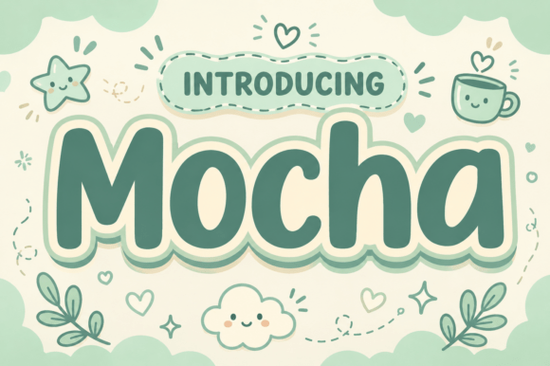
If you're looking for a display font that feels like a cozy afternoon at your favourite café, Motcha Font delivers exactly that warmth. Its ultra-bold, pillowy letterforms come wrapped in a soft cream and sage-green sticker outline, making every headline look both professional and approachable. Whether you're working on coffee shop branding, children's book titles, or playful packaging, this typeface adds a gentle charm that's hard to resist.
What makes Motcha Font different from other display fonts?
Most bold display fonts can feel heavy or aggressive. Motcha Font stands out because it combines a strong presence with soft, rounded contours. The letters look almost cloud-like, thanks to the layered sticker outline. That unique shape makes the font feel inviting instead of imposing. It's a rare balance: heavy enough to grab attention, but gentle enough to keep things friendly. The earthy colour palette in the preview (cream and sage green) hints at how well it works in natural, cozy settings.
If you've tried other display faces like Picky Retro Font or Bloomsy Font, you'll notice Motcha takes a different route. Picky Retro leans into vintage vibes, while Bloomsy goes floral and delicate. Motcha Font sits somewhere in between – it's modern but soft, bold but warm. Perfect for anyone who wants their text to feel like a warm hug.
How can you use Motcha Font in real projects?
This font isn't just pretty – it's incredibly versatile. Here are some practical ways designers and small businesses have put it to work:
- Coffee shop branding – menus, signage, and takeaway cup labels all gain that cozy café feel without extra effort.
- Lifestyle packaging – think candles, skincare, or homemade treats. Motcha's rounded shapes instantly communicate care and quality.
- Children's book titles – the pillowy letters are easy for kids to read, and the soft curves feel playful without being childish.
- Social media headers – use it for Instagram stories, YouTube thumbnails, or blog banners. It stands out even on small screens.
- Print-on-demand designs – t-shirts, mugs, tote bags. The bold weight ensures legibility at various sizes.
Because Motcha Font works best in display sizes, keep it for headlines and short phrases. Pair it with a clean sans-serif for body text to maintain readability. For a retro pairing, try Awesome Everybody Font – its playful letterforms complement Motcha's softness nicely.
Is Motcha Font easy to pair with other fonts?
Yes, and that's one of its strongest features. The clean geometry and rounded edges give you a solid base. You can match it with:
- Thin sans-serifs like Montserrat Light for a modern contrast.
- Handwritten fonts for a cozy, personal feel (just keep the script simple so it doesn't clash).
- Geometric slab serifs like Varsity Narrow Font for a sporty twist.
- Another display font if you want a stacked look – just make sure weights differ to keep visual hierarchy.
A good rule: let Motcha lead. Use it for your main headline, then pick a secondary font that's either noticeably lighter or notably different in style. Avoid using two ultra-bold display fonts together – that's when things start looking busy.
Where can you get Motcha Font?
You'll find Motcha Font available as a single download on Creative Fabrica. It comes as an OTF file with standard characters, numbers, and punctuation. The font is ready to install on both Mac and Windows. If you're a Creative Fabrica subscriber, you can download it as part of your plan. For anyone looking for similar cozy options, check out the Motcha Font product page – it also shows related display fonts that share that warm, soft aesthetic.
What to do next with Motcha Font
If you're ready to try it out, here's a simple checklist:
- Download Motcha Font from the official product page (use the link above).
- Install it on your computer (double-click the OTF file and hit Install).
- Test it in your design software – try it at 72pt or larger to see its full pillowy effect.
- Pair it with a light sans-serif for a sample project (maybe a social media graphic or a menu header).
- Share your result with a friend – see if they say it looks "cozy."
Motcha Font isn't just another display typeface; it's a tool for creating that warm, hugged feeling in your visual work. Give it a spin on your next project, and you'll see exactly what that cloud-like outline can do.
Try It Free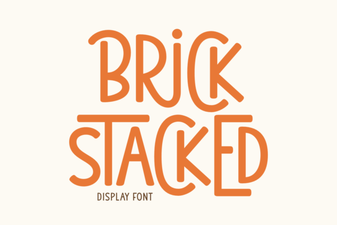 Stacked Brick Fonts for Bold Graphic Design
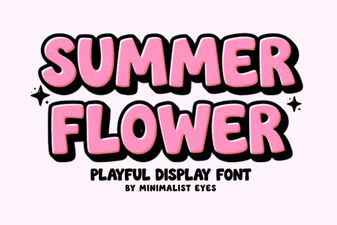 Floral Summer Fonts for Beautiful Design Projects
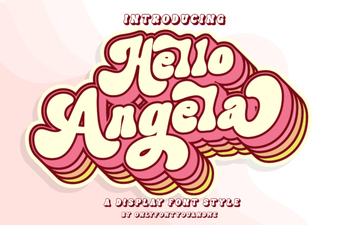 Hello Angela Font for Creative Typography Projects
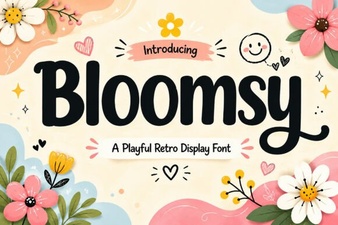 Bloomsy Font: a Creative Touch for Your Designs
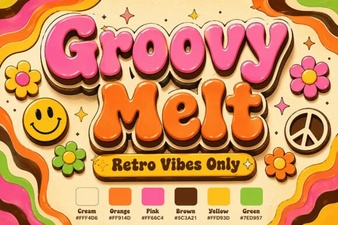 Groovy Melt Font: Creative Design Ideas & Download
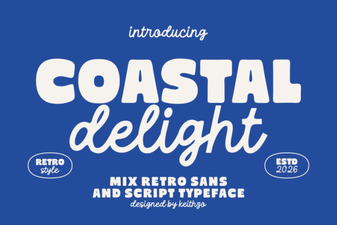 Coastal Delight Font for Seaside Craft Projects