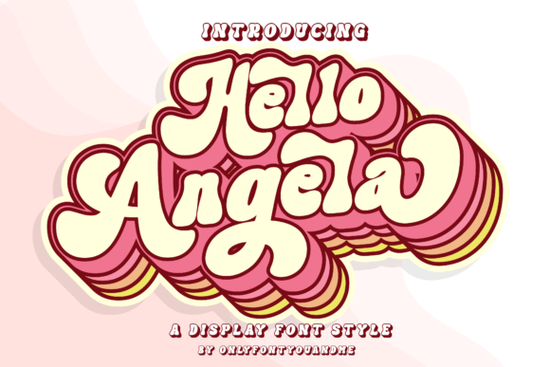
If you're on the hunt for a display font with a playful yet polished look, Hello Angela Font might be exactly what you need. It's a stunning and fun display typeface that works beautifully for headlines, logos, branding, and anything that calls for a touch of personality. Because it's PUA encoded, you can easily access all the stylish glyphs and alternates without any extra software or hassle. Whether you're a print-on-demand seller, a small business owner, or just someone who loves crafting, this font gives you plenty of creative flexibility.
What makes Hello Angela Font stand out?
One of the first things you'll notice is how balanced the letterforms are. They're playful without being messy, and stylish without feeling unreadable. The font includes a full set of uppercase and lowercase characters, numbers, punctuation, and multilingual support, which means you can use it for a wide range of projects. The PUA encoding is a big plus it lets you pick from swashes, alternates, and decorative ligatures directly in programs like Canva, Cricut Design Space, Photoshop, or Illustrator. That kind of access saves time and lets you customize your text more easily.
If you've worked with display fonts before, you know that some only offer basic characters. With Hello Angela, you get extras that make your headlines feel custom. The alternates include different tail lengths on letters like "y" and "g", plus a few floral-inspired swashes that add elegance. It's a small detail, but it makes a big difference when you're building a brand or creating a one-of-a-kind design.
Where can you use Hello Angela Font in real projects?
This font works well in many places. Here are a few ideas based on what other designers and small business owners have found useful:
- Logos and branding: The fun factor helps a brand feel approachable, while the clean lines keep it professional. It pairs nicely with sans-serif fonts for contrast.
- Magazine layouts and headlines: Because it's a display font, it grabs attention without overwhelming the page. Try it on cover titles or section headers.
- Social media graphics: Whether it's an Instagram quote or a Pinterest pin, the alternates give you room to create something that stands out in a feed.
- Print-on-demand products: Think t-shirts, mugs, tote bags. A bold fun font like this can be the main element of your design.
- Invitations and greeting cards: The swashes and alternates add a handmade feel that works well for weddings, birthdays, or holidays.
If you're working on a project and need a font that's both lively and versatile, Hello Angela fits nicely alongside other popular display fonts. For instance, if you design seasonal content, you might also enjoy a summer flower font for a different vibe. Or if you're pairing scripts and serifs, a Selina Daniel duo font could be a good companion for a two-font system.
Is Hello Angela Font easy to use for beginners?
Yes. Because it's PUA encoded, you don't need advanced font software to access the extras. On a Mac or PC, just install the font like normal. Then, in any program that supports PUA (like most design apps), you can open the Character Map or Glyphs panel and double-click the alternate character you want. It's the same process as picking a regular letter. Many crafters who use Cricut or Silhouette machines find this font simple to work with you can type out your word, then swap in swashes manually for a custom look.
If you're new to using alternate characters, don't overthink it. Start by using the font as-is for a few projects, then try swapping one or two letters for alternates. You'll quickly see how small changes can make a big difference.
How does Hello Angela compare to other display fonts?
There are a lot of fun display fonts out there, but Hello Angela holds its own because it combines a hand-drawn feel with very readable shapes. Some display fonts are so decorative they're hard to read in longer text. Hello Angela keeps the fun factor without losing legibility, which makes it suitable for headlines that need to be read at a glance. If you're looking for something more vintage, you might check out the Coastal Delight font for a beachy, relaxed style. Or if you want a font that works well for memory-keeping layouts, the Remember Things font could be a good option. For magazine-style projects, the magazine design font category offers even more variety.
Practical tips for using Hello Angela Font in your designs
Here's a quick checklist to get the most out of this font:
- Pair it with a simple sans-serif – Let Hello Angela be the star and use a clean font for body text or subheadings.
- Experiment with alternates sparingly – Using too many swashes in one word can look cluttered. Pick one or two alternates per headline.
- Adjust kerning for large sizes – Display fonts often look better with a little extra space between letters. In your design software, increase tracking slightly.
- Test on backgrounds – Because the font has decorative elements, make sure it doesn't get lost on busy textures. Light or solid colored backgrounds work well.
- Use it for short text only – Display fonts are best for a few words. Avoid using Hello Angela for long paragraphs or small print.
Next step: Try Hello Angela Font on a real project
The best way to see if this font works for you is to use it. Pick a project you've been planning like a logo for a new Etsy shop or a promotional graphic for a seasonal sale and set the headline in Hello Angela. Play with the alternates, try different spacing, and see how it feels. If you enjoy working with it, you can also explore other display fonts from Creative Fabrica to build a collection that fits your style. Start with a simple design, and you'll quickly discover why this fun, PUA-encoded font is a favorite among designers and crafters alike.
Explore Design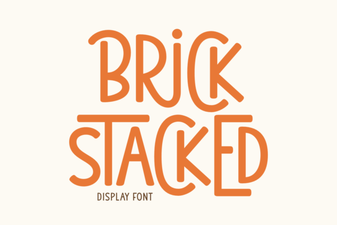 Stacked Brick Fonts for Bold Graphic Design
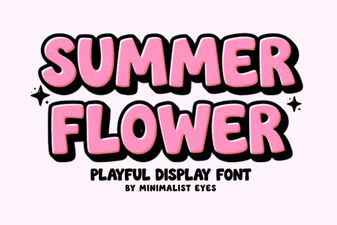 Floral Summer Fonts for Beautiful Design Projects
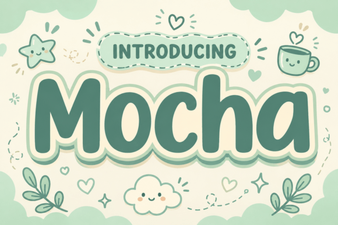 Discover Motcha: a Creative Font for Bold Designs
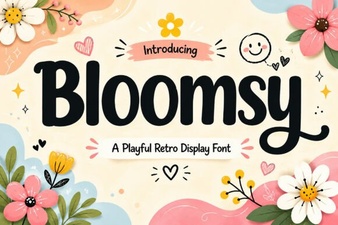 Bloomsy Font: a Creative Touch for Your Designs
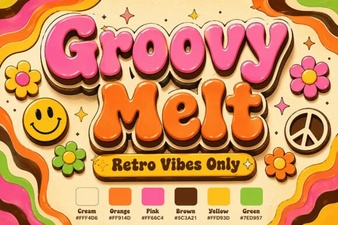 Groovy Melt Font: Creative Design Ideas & Download
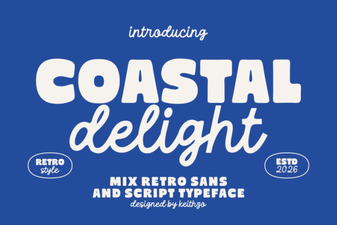 Coastal Delight Font for Seaside Craft Projects